
Calix Trouble

Internet Giving You Attitude? Let's Get You Back Online.
Scanned the QR code? You’re in the right place.
Follow the steps below to troubleshoot common issues, manage your Wi-Fi, or contact support.
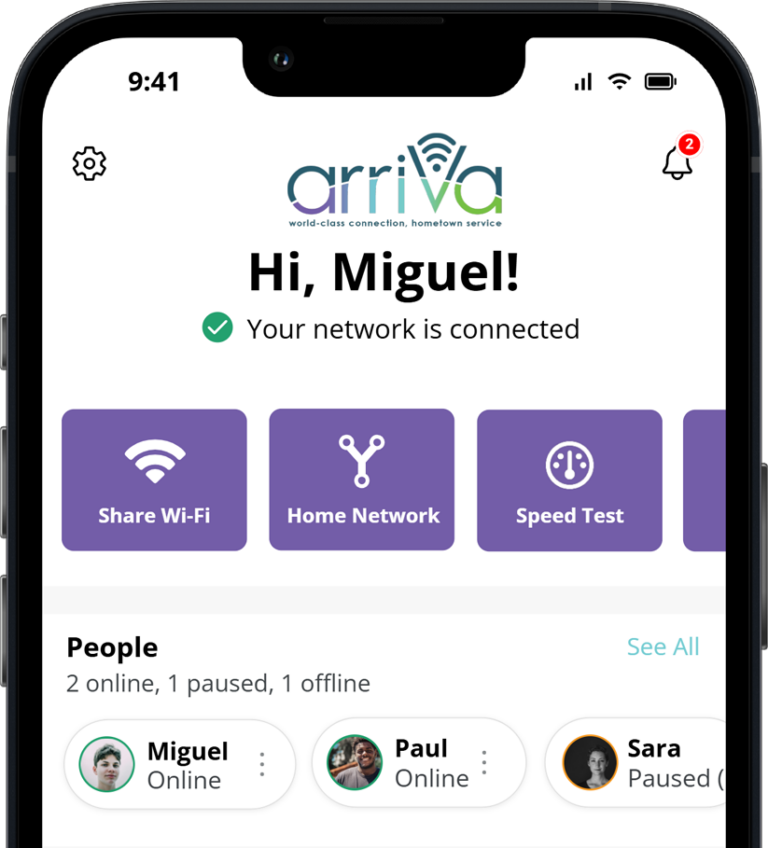
Take Control of Your Wi-Fi with the CommandIQ App!
Many Wi-Fi issues can be diagnosed and fixed directly from the CommandIQ app without calling support.
*Not available to Bruce, MS customers.
App Store Google PlayWhat Seems to Be the Problem?
My Internet Isn't Working At All
Step 1: Check for Power Are the lights on? Are there any signs of damage to the power cord (cut, pet chews, etc.) If your system is plugged in to both the router and the wall but you do not have power, your power cord may be bad.
Router Light Guide:
 Solid Green = Good
 Blinking = Starting Up
 Red = Connection Problem
 No Lights = No Power
Step 2: Restart your Router
Unplug the power source, wait 30 seconds, and plug it back in. Wait an additional 1–2 minutes while your router boots back up and devices reconnect. You’d be amazed how often this works!
⚠ Do NOT press the “reset” button on the router.
Step 3: Check Other Devices
See if other devices are working. If this is isolated to one device, it’s a device issue, and you will need to contact the device’s manufacturer.
Step 4: Check for an Outage
While we make every effort to avoid outages, sometimes things are out of our control. Fiber cuts, power loss, and accidents can temporarily interrupt service. For large outages, we post updates on social media.
My Internet Is Slow
Quick questions:
- Are multiple people streaming?
- Is someone gaming?
- Are you far from the router?
You may need to try these fixes:
- ✅ Increase your internet speed
- ✅ Move closer to the router
- ✅ Run a speed test
- ✅ Add a Wi-Fi Extender or Outdoor Hot Spot
- ✅ Disconnect unused devices
- ✅ Use CommandIQ to see what’s using bandwidth
** CommandIQ app not available to Bruce, MS customers.
Some Devices Work, Others Don't
If all other devices are online:
The problem is likely with the device rather than your internet connection.
Try these steps:
- ✅ Turn the devices Wi-Fi off and back on
- ✅ Forget and reconnect to the network
- ✅ Restart the device
- ✅ Check if software updates are pending
- If this does not reconnect your device, you’ll need to contact your device’s manufacturer for assistance. Many times, older electronics don’t perform well with newer Wi-Fi technologies.
Before You Contact Support
Have These Ready:
- ✅ Account number or service address
- ✅ CPNI code
- ✅ Description of the issue
- ✅ Router light status
- ✅ Any troubleshooting steps you’ve already tried
This helps us assist you more quickly.
Contact UsFind a location near you.
Frequently Asked Questions
Why did my internet stop working after a power outage?Your router may still be rebooting. Give it up to 10 minutes after power is restored. You may need to power cycle your router and connected devices. Do NOT press the “reset” button on the router.
Why is my Wi-Fi slow in one room?Walls, appliances, and distance can weaken Wi-Fi signals. Arriva can add Wi-Fi extenders to extend your signal and improve your service.
Why does my speed test show less than my internet plan speed? Wireless devices rarely achieve maximum speeds due to distance, interference, and device limitations. There are several factors that can affect the speed you see on a specific device, even when your internet connection is performing exactly as it should. Wi-Fi signal strength: The farther you are from your router physically, the more walls, floors, or other obstacles the signal has to travel through, which can reduce signal and speed. Device capabilities: Not all devices are designed to achieve the same speeds. Smart TVs, streaming devices, printers, security cameras, and some laptops or mobile devices may have built-in wireless hardware that limits the maximum speed they can achieve. Network congestion: If multiple people in your home are streaming, gaming, downloading large files, or participating in video calls at the same time, your available bandwidth is being shared among those activities. Wireless interference: Other electronics, neighboring Wi-Fi networks, and even household materials like brick, concrete, or metal can impact wireless performance. The source of the content: Your internet connection can only be as fast as the website, app, or server providing the content. For example, a software download or streaming service may limit the speed at which it delivers data. For the most accurate speed test results, we recommend testing on a newer device connected directly to your router with an Ethernet cable whenever possible. Speed tests performed over Wi-Fi may vary based on your environment and device capabilities. What's the difference between Wi-Fi and Internet? Internet is the connection coming into your home.Wi-Fi is how your devices connect inside your home.You can have a Wi-Fi issue even when your internet service is working properly.For answers to more FAQs: